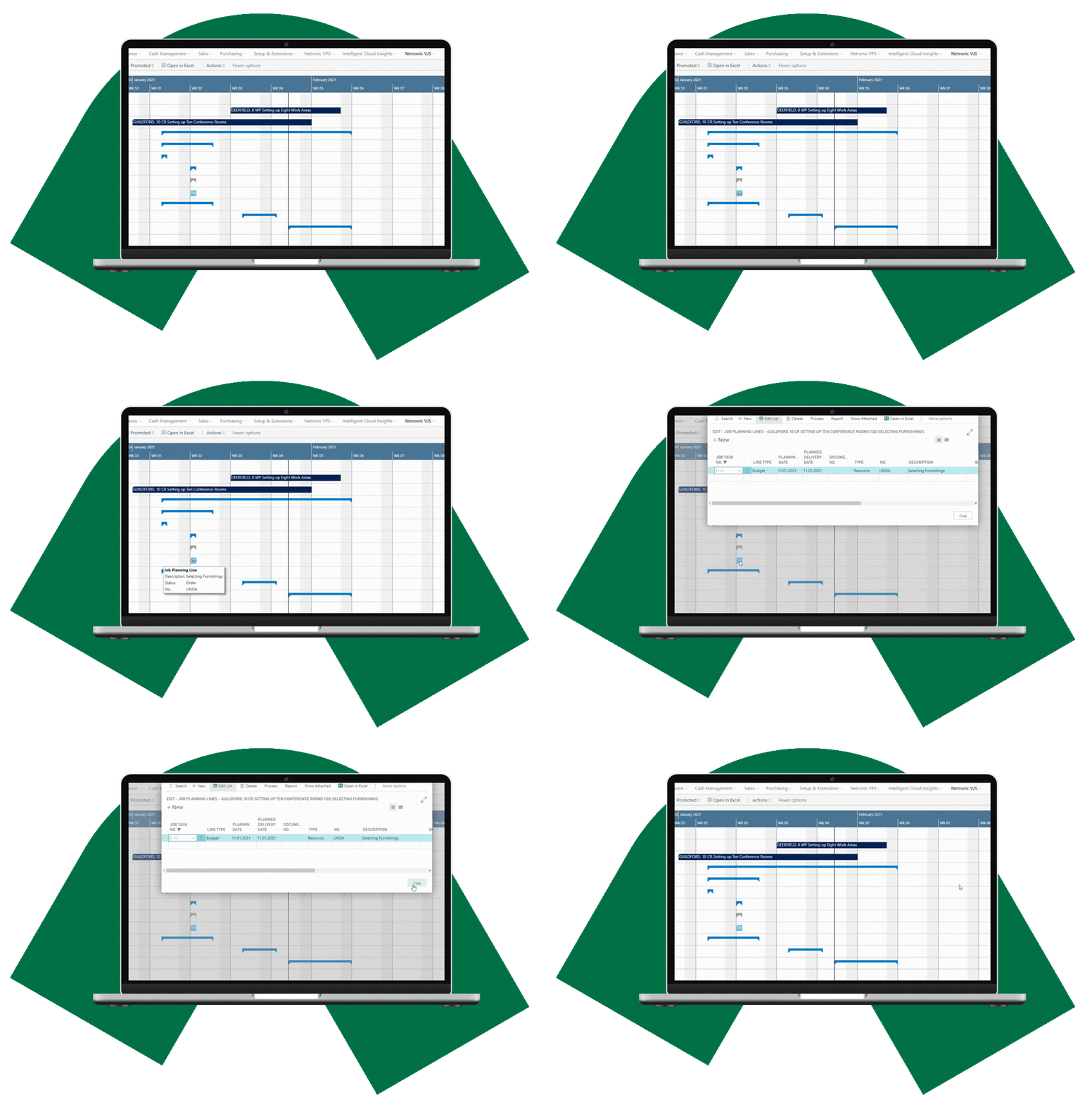
Keep projects on track with scheduling that shows the whole picture.
See project timelines, dependencies, resource workloads, and capacity together, and adjust timing and resource assignments directly in the visual schedule.

VJS helps project-driven organizations see, understand, and adjust project and resource schedules.
Visual Jobs Scheduler (VJS) brings visual project and resource scheduling to Microsoft Dynamics 365 Business Central for organizations that need to coordinate project timelines, dependencies, and shared resources across multiple projects.
Visual project scheduling
See projects, project tasks, project planning lines, timing, and dependencies together in one graphical schedule.
Resource visibility
See scheduled work, utilization, and capacity across resource groups and individual resources in one graphical view.
Planner-driven scheduling
Stay in control, adjust project timing and resource assignments directly in the graphical schedule using visual drag & drop.
Why VJS?
See how project timing and resource demand affect one another.
VJS brings the project and resource perspectives together, helping planners understand the schedule, identify where attention is needed, and make informed adjustments.
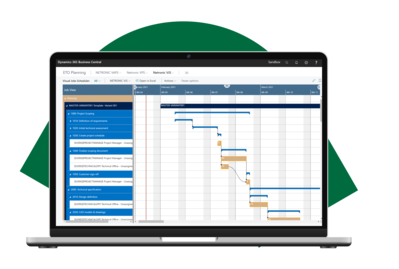
Understand your project schedule at a glance
See projects, tasks, planning lines, timelines, and dependencies in a graphical schedule instead of piecing the picture together from separate Business Central information.
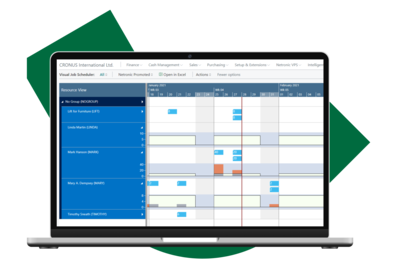
Identify resource conflicts earlier
See scheduled work and utilization across resource groups and individual resources, helping you identify available capacity, overloads, and projects competing for the same resources.
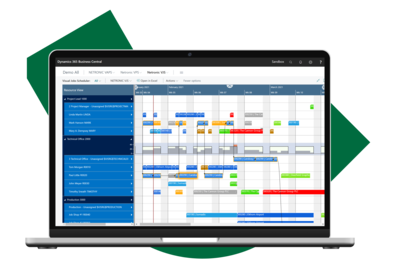
Adjust schedules easily, even with dependencies
Adjust timing and resource assignments with drag & drop while seeing the wider project and resource schedule. When a task moves, linked successor tasks are automatically rescheduled to maintain the defined sequence.
See VJS in action
See how VJS supports project scheduling and resource planning in Business Central, from structuring and scheduling project work to assigning resources and managing workloads.
Project Gantt · Resource Gantt · Drag & drop scheduling
See how project timing and resource demand come together in one visual scheduling process.

How VJS gives you a clearer view across projects and resources
VJS combines graphical project and resource views with interactive scheduling tools, giving planners visibility into timelines, dependencies, resource demand, and capacity when adjusting the schedule.
Project Gantt view
See projects, project tasks, and project planning lines across time, and drill down into the project structure and schedule.
Resource Gantt view
See scheduled work by resource group and individual resource, including assignments across multiple projects.
Histogram view
See workloads and capacity over time, with visual indications of available and exceeded capacity.
Handle project dependencies
Create and visualize dependencies between activities. Move a linked task, and its successors are automatically rescheduled.
Identify conflicts while planning
See visual warnings when scheduling changes create resource overloads, helping you identify capacity conflicts while planning.
Plan by resource group
Plan work by resource group when the individual resource is not yet known, then assign a specific resource later.
Build assignments visually
Create resource assignments visually by assigning resources to project tasks or project work to resources
Visual drag & drop scheduling
Move projects, tasks, and planning lines in time, or move work between resources to change assignments.
“VJS is a 100% integrated solution and has helped us a lot since everything is under one roof. With everything under one dashboard, it has really become easier for our planners to do the scheduling.”
Visual project scheduling built for Microsoft Dynamics 365 Business Central
Natively connected to Business Central
Work with the data you already use
Keep scheduling connected to your ERP
Available on Microsoft AppSource

Keeping projects on track
Project scheduling requires a clear view of both project timelines and the resources available to deliver them.
Learn how visual scheduling brings timelines, dependencies, workloads, and resources together while keeping Business Central at the core.
FAQ
Why add visual scheduling to Business Central project planning?
Business Central provides the foundation for managing projects, project tasks, planning lines, and resources, but it does not provide predecessor and successor relationships between project tasks.
VJS adds dependency management alongside graphical project and resource views, allowing planners to create and visualize dependencies and understand how changes to one activity may affect connected work.
Together with visibility into resource assignments, utilization, and capacity, this gives planners a more complete way to coordinate project timing and resource demand within Business Central.
Why are both project and resource views important when scheduling projects?
A project schedule shows what needs to happen and when, but it does not show the full resource picture. The resource view shows who is assigned to the work, their other scheduled commitments, and where capacity is available or exceeded.
VJS brings both perspectives together so planners can consider project timing and resource availability when making scheduling decisions.
What happens to dependencies when I reschedule project work?
VJS lets planners create dependencies between scheduled activities. When a task is moved, linked successor tasks are automatically rescheduled to maintain the defined sequence.
Instead of adjusting each dependent activity individually, planners can update a sequence of project work with a single scheduling change, reducing the time and manual effort needed to revise the project plan. If a dependency conflict occurs, VJS highlights it visually so planners can quickly identify where further adjustment is needed.
Why use a project scheduler built for Microsoft Dynamics 365 Business Central?
A scheduler integrated with Business Central works directly with the project and resource information already maintained in your ERP, including projects, project tasks, project planning lines, resources, and resource assignments.
With VJS, scheduling data does not need to be copied into a separate external system, keeping it within your Business Central environment and reducing the security considerations associated with transferring data between systems.
Project and resource scheduling remains connected to the Business Central information it depends on rather than becoming a separate planning process.
See how VJS fits your project and resource scheduling
See project timelines, dependencies, resource workloads, and capacity together, and adjust timing and resource assignments directly in the visual schedule.