Skip to content
CONTACT US

Turn your production plan into an achievable schedule

Plan against real production capacity, respond confidently to change, and improve delivery reliability.

VAPS helps manufacturers turn production requirements into realistic, achievable schedules.

Visual Advanced Production Scheduler (VAPS) brings advanced finite capacity scheduling to Microsoft Dynamics 365 Business Central for manufacturers that need to manage capacity constraints, changing priorities, and complex production schedules.


Finite capacity scheduling

Schedule production against the capacity actually available on your resources. Make available capacity part of the scheduling logic to create realistic schedules that can be executed on the shop floor.

Real production constraints

Create achievable schedules by considering more than capacity alone. Take material availability, alternative resources, dependencies, and production priorities into account when making scheduling decisions.

Planner-supported scheduling

Combine visual drag & drop with assisted and semi-automatic scheduling. Use VAPS scheduling instruments to support specific tasks while staying in control of the decisions that matter.

Why VAPS?

Create a production schedule you can trust, based on the realities of your shop floor.

VAPS uses finite capacity scheduling to plan around the capacity actually available, giving you a realistic basis for scheduling decisions, delivery commitments, and resource utilization.

Make faster, better scheduling decisions

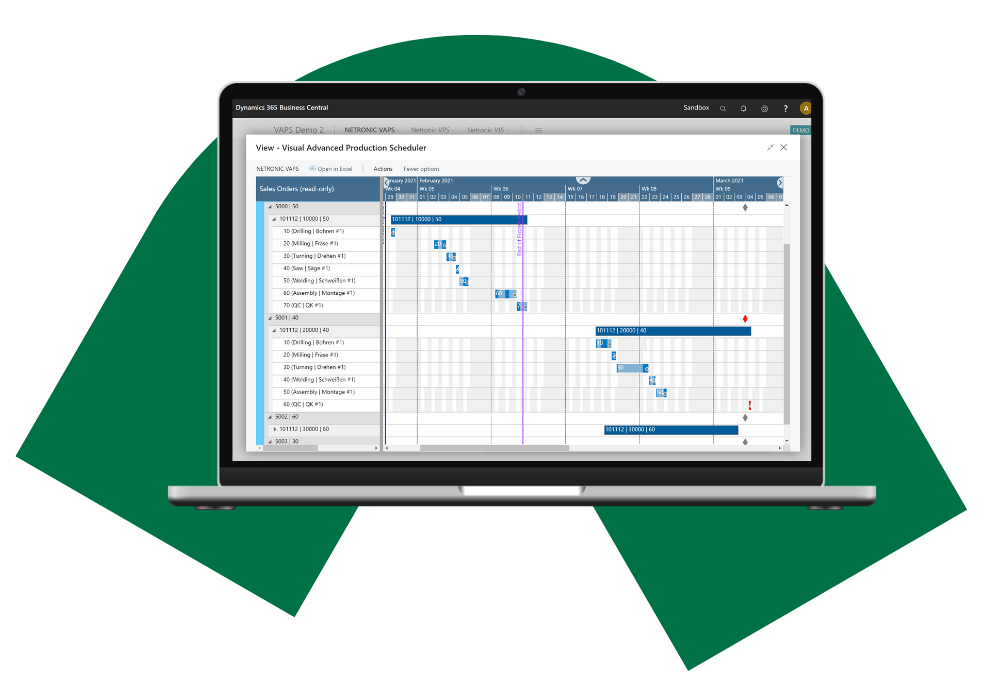
Keep production running smoothly when your plans change. See dependencies, late orders, capacity, and material availability in one visual schedule, test scenarios, and understand the downstream impact before you act.

Improve delivery reliability

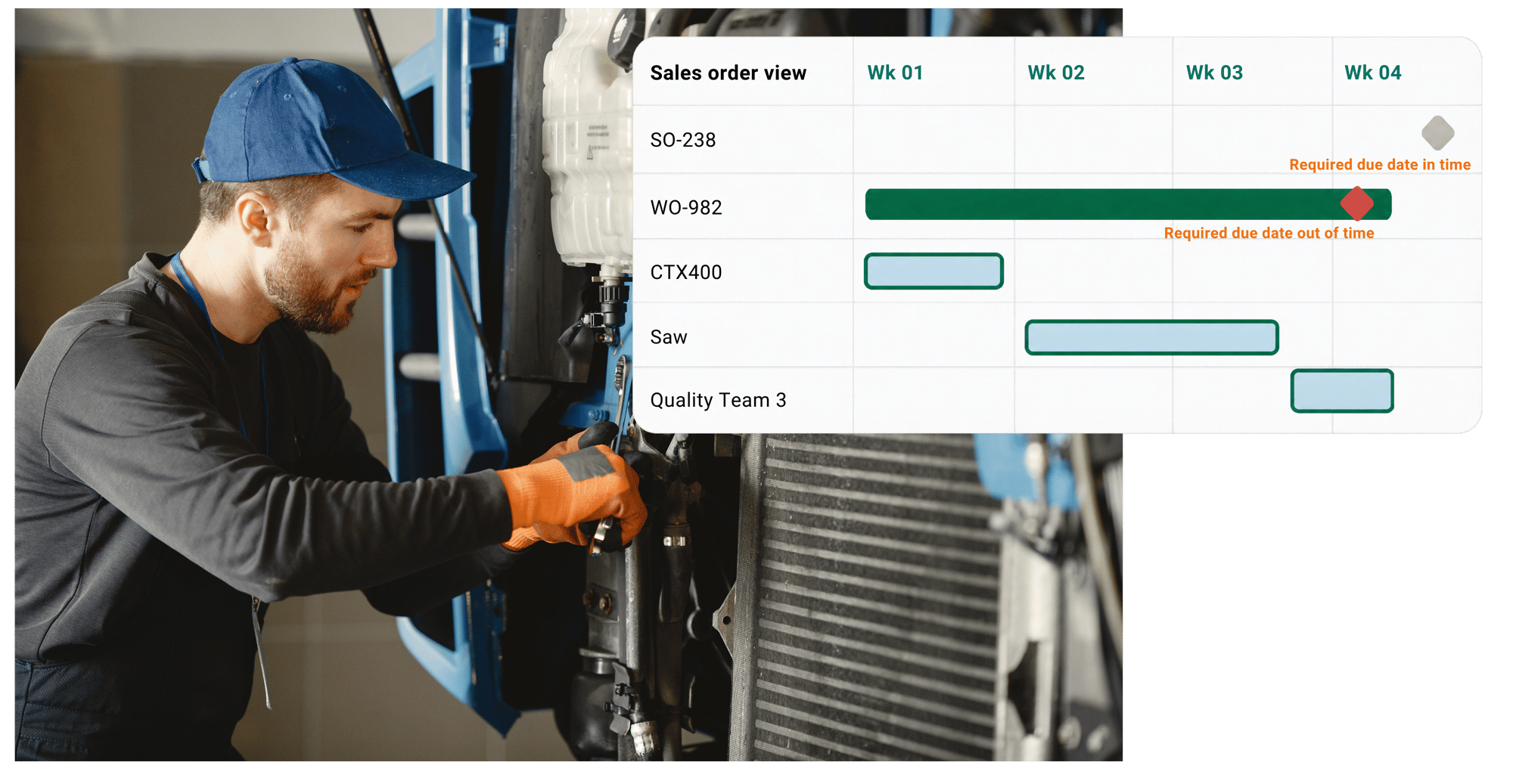
Make more reliable delivery commitments to your customers based on a realistic finite capacity schedule. See when sales order items are expected to finish, identify delivery risks, and take corrective action.

Make better use of your production capacity

See resource loads and bottlenecks, reduce avoidable idle time, and improve machine and work-center utilization, helping you increase throughput with the resources you already have.

See VAPS in action

See how VAPS turns Business Central manufacturing data into realistic production schedules based on capacity, materials, dependencies, and priorities.

Finite capacity scheduling · Visual scheduling · Planner control

Combine automation with planner expertise to make better scheduling decisions.

capacity_transition_v4

How VAPS creates realistic production schedules

VAPS combines finite capacity scheduling with real production constraints and powerful planning tools, so you can build schedules that are realistic and ready for change.

Make better use of available capacity

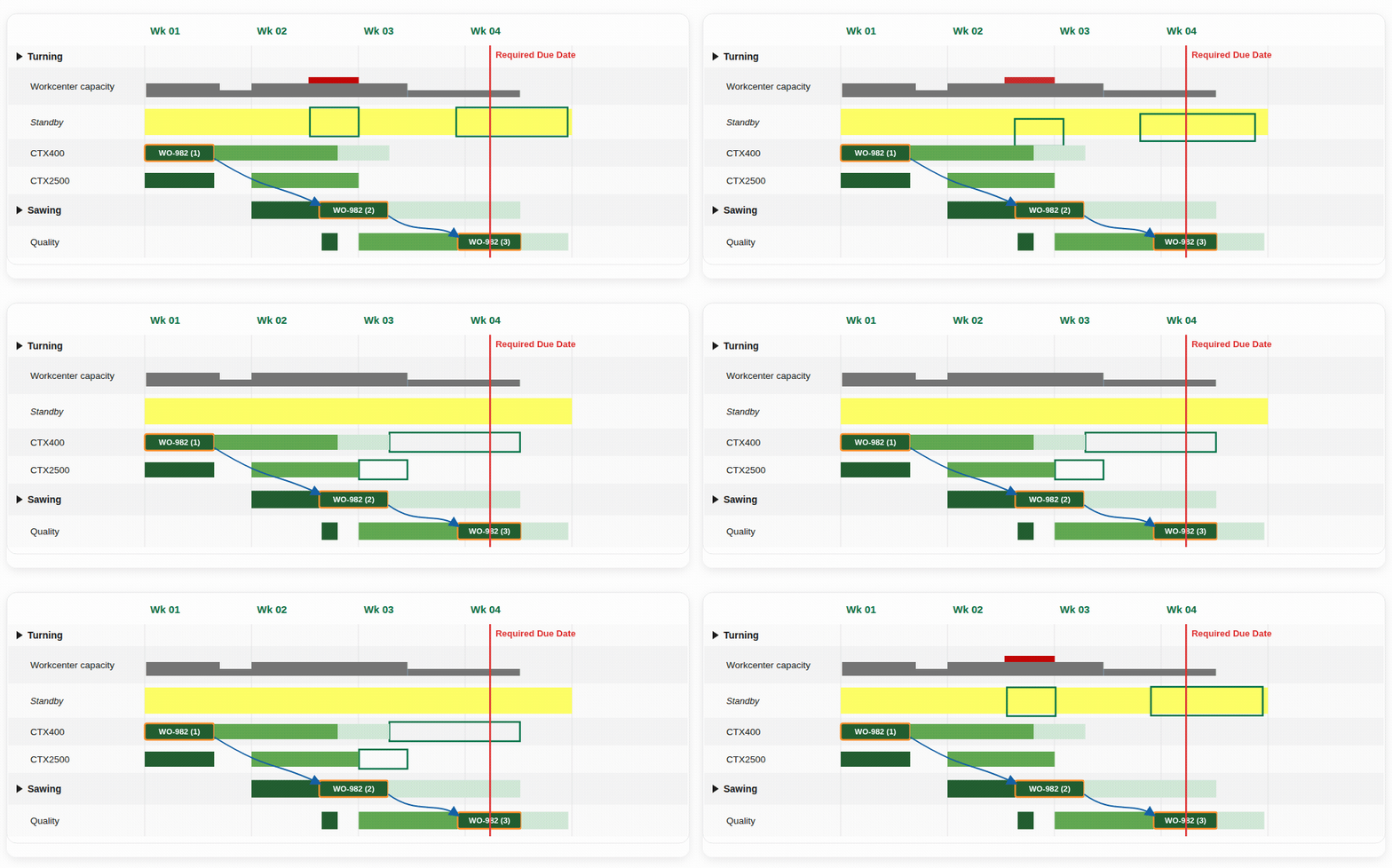
See resource loads and bottlenecks and use Fill Idle Times to reduce idle times on machine centers and make better use of available capacity.

Schedule new orders efficiently

Keep operations not yet in the detailed finite capacity schedule visible on the virtual Standby resource and bring them into the schedule when appropriate.

Assisted & semi-automatic scheduling

Combine visual drag & drop with scheduling instruments for specific tasks, such as assigning routings, prioritizing operations, or filling idle times. The planner remains in control of scheduling decisions. 

Multiple schedule simulations


Create multiple simulations, test scenarios, compare them using selected KPIs, all without changing the live production schedule. Publish the preferred schedule when confident in the result.

Material availability with EMAD

Consider when required materials are expected to become available. EMAD helps identify work scheduled before the necessary components are available.

Finite capacity scheduling

Schedule production against the capacity actually available on your resources, creating a schedule that can realistically be executed on the shop floor.

Visual drag & drop scheduling

Move operations in time or assign them to another resource using drag & drop. Changes can trigger the rescheduling of other operations in line with finite capacity.

Alternative machine centers

Define alternative machine centers for routing steps, including differences in run and setup times. VAPS can take predefined alternatives into account when scheduling.

“The VAPS made planning significantly easier compared to our previous use of spreadsheets. The visual nature of the tool allowed for quicker and more intuitive adjustments, eliminating the need for extensive copying and pasting. With the VAPS, we can confirm delivery times to our customers with much more precision than before.”
 
- Gary Browning; Business Unit Manager, Alumasc

Advanced production scheduling built for Microsoft Dynamics 365 Business Central

Natively connected to Business Central

Work with the data you already use

Compare actuals and adjust with confidence

Available on Microsoft AppSource

VAPS_illustration-1

Taking prodution scheduling
to the next level

When production scheduling gets more complex, visibility alone is not enough.

Learn how finite capacity, material availability, resource alternatives, changing priorities, and scheduling assistance help planners turn production requirements into an achievable schedule.

FAQ

Does VAPS replace Business Central production planning or MRP?

No. VAPS enhances the manufacturing planning capabilities of Microsoft Dynamics 365 Business Central rather than replacing them. Business Central’s MRP and Planning Worksheet support mid-term demand planning, while VAPS adds shorter-term, detailed scheduling using forward scheduling with finite capacity constraints. Shop-floor data from Business Central can also be used to compare actual production with the schedule as production progresses.

What difference does finite capacity scheduling make?

With finite capacity scheduling, you get a plan that can actually be executed because it considers the capacity available on production resources. This becomes important when turning a higher-level production plan into a detailed schedule that can be executed against limited capacity. In VAPS, finite capacity is part of the underlying scheduling logic, rather than simply information shown to the planner.  

VPS or VAPS – which one should I use?

Boyum offers two visual production scheduling solutions for Microsoft Dynamics 365 Business Central Manufacturing: VPS and VAPS. The right choice depends on your scheduling requirements. 

VPS is well suited to manufacturers taking their first steps toward more digital production scheduling, with a focus on gaining better visibility and an interactive, drag-and-drop planning experience. It stays close to standard Business Central manufacturing and scheduling logic.

VAPS is designed for manufacturers that already have a clear understanding of their day-to-day scheduling challenges and need more advanced ways to address them. It adds finite capacity scheduling and capabilities for coordinating material availability, alternative resources, production priorities, and different scheduling scenarios.


Why use a production scheduler built for Microsoft Dynamics 365 Business Central?

A scheduler integrated with Business Central works directly with the manufacturing information already maintained in your ERP, including production orders, routings, work and machine centers, and capacity information. This also has an important security benefit: scheduling data does not need to be copied into an external system, keeping it within the Microsoft ecosystem and aligned with Microsoft’s security standards. With VAPS, detailed scheduling remains connected to Business Central planning and shop-floor information rather than becoming a disconnected process. 

See how VAPS fits your production environment

Create more realistic schedules, respond faster to change, improve delivery reliability,
and make better use of your existing production capacity.

NETRONIC VAPS