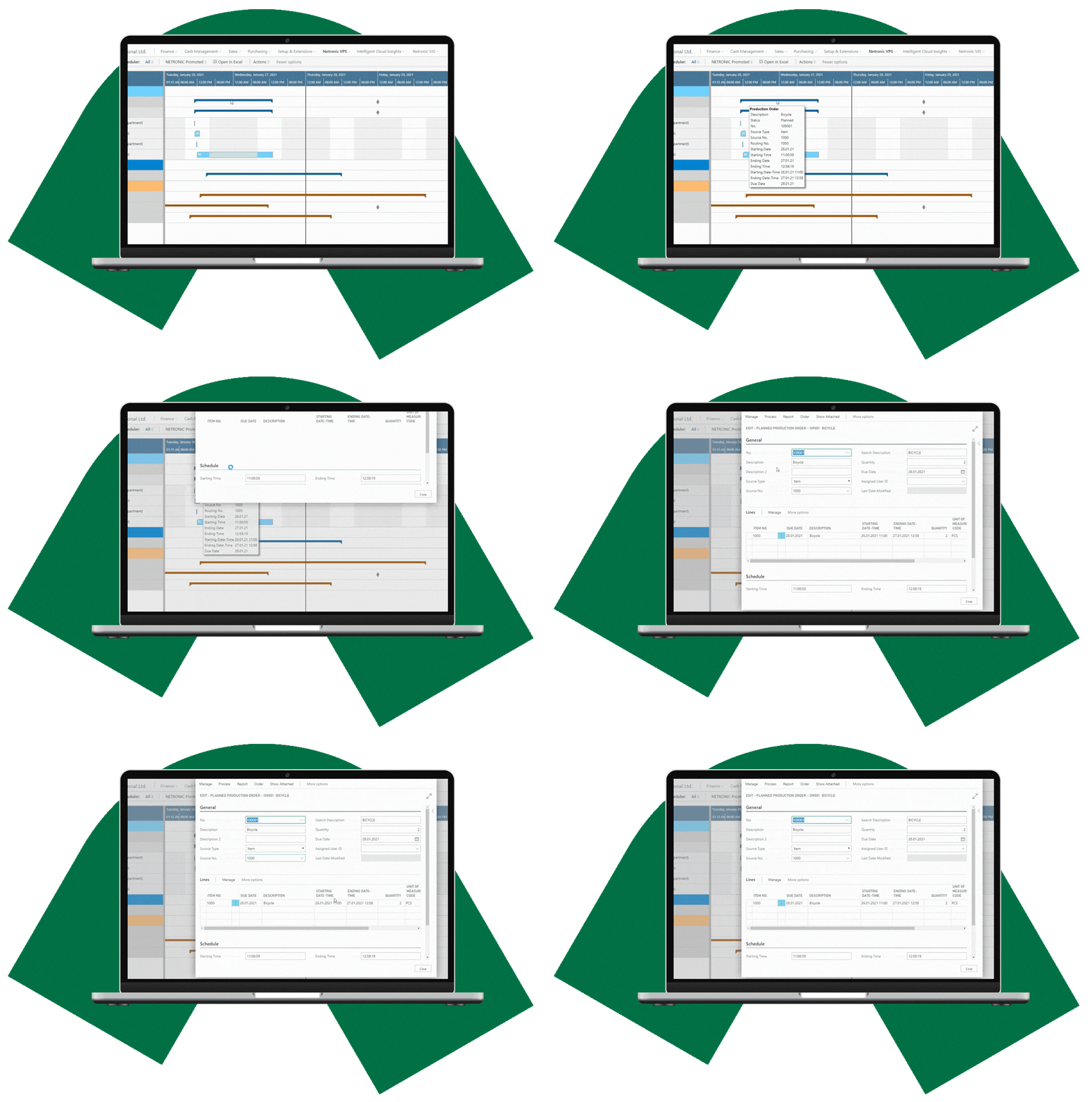
Visual production scheduling
Bring production orders, operations, routings and resources together in a graphical schedule, making it easier to understand what is planned and when.

Visual Production Scheduler (VPS) brings visual production scheduling to Microsoft Dynamics 365 Business Central for manufacturers that need greater visibility and an interactive way to work with their production schedule.
Bring production orders, operations, routings and resources together in a graphical schedule, making it easier to understand what is planned and when.
See production loads across work and machine centers, helping you identify capacty peaks and potential bottlenecks in the current schedule.
Use visual drag & drop and Schedule Successors to adjust the production schedule while keeping the planner in control of scheduling decisions.
VPS gives planners a graphical view of Business Central production orders, operations, resources, and capacity information, providing a clearer basis for day-to-day scheduling decisions.
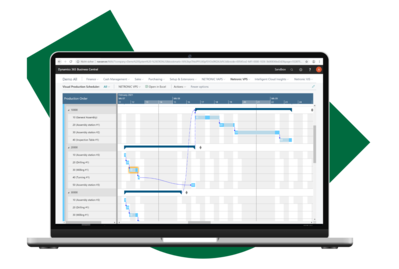
See production orders, operations, resources and capacity information togethers, giving you a clearer view of what is planned and where attention may be needed.
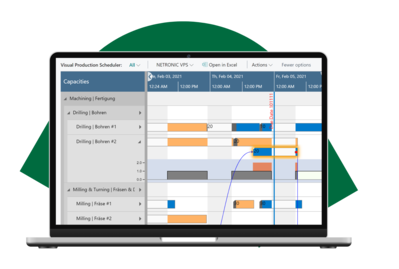
See due dates, order status, capacity loads and visual alerts, helping you identify late operations, capacity peaks and potential bottlnecks.
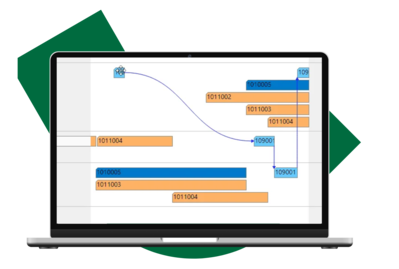
Respond to changing priorities by moving operations in time or between resources with visual drag & drop, with saved changes reflected in the underlying Business Central production data.
See how VPS turns Business Central manufacturing data into a visual, interactive production schedule that helps planners understand and adjust the production plan.
Visual scheduling · Capacity visibility · Planner control
See the schedule clearly and make changes directly with drag & drop.

VPS combines graphical production views with visual scheduling tools, so you can understand your current schedule, identify issues, and make changes directly.
See production orders, routing information, scheduled work and machine centers, order status and due-date information together in a graphical view.
See operations by work and machine center and understand how resources are being used in the current production schedule.
See capacity load charts together to identify work and machine centers facing capacity peaks or potential bottlenecks.
Use Schedule Successors to reschedule subsequent routing operations when changes are made to the production schedule.
Use context-sensitive visual warnings to identify issues such as operations exceeding their due dates or capacity overloads.
See production order routing lines, setup and run times, and relevant dependencies directly in the visual production schedule.
Move operations in time or assign them to another work or machine center directly in the graphical schedule.
Display an automatically updating, view-only production schedule for people who need visibility without scheduling controls.
.jpg?width=500&height=333&name=shutterstock_2596968693%20(1).jpg "shutterstock_2596968693 (1)")
Business Central provides a strong manufacturing and planning foundation. Visual scheduling adds the visibility and interaction planners need to understand and work with the production schedule.
Learn how visual scheduling brings relevant manufacturing data together and complements the production planning capabilities already available in Business Central.
No. VPS stays close to the standard manufacturing and scheduling logic of Microsoft Dynamics 365 Business Central. It adds a visual, interactive scheduling environment without introducing its own scheduling logic, giving planners a graphical way to see and adjust the Business Central production schedule.
Business Central provides the manufacturing and planning foundation but does not provide a visual production scheduling environment as standard. VPS brings production orders, operations, resources, capacities and other scheduling information together in graphical views, helping planners understand the current schedule and identify where attention is needed. Planners can see the relevant information at a glance instead of navigating through different tables and fields in Business Central to piece together the current scheduling situation. This reduces the time needed to understand the schedule and identify where attention is needed.
VPS gives planners a visual overview of production orders, operations, resources and capacities, making it easier to see the current scheduling situation and find the information they need.
At a glance, planners can answer questions such as: What is the status of a production order? Will the due date be met? Which work or machine centers have available capacity, and where could bottlenecks occur?
VPS is well suited to manufacturers taking their first steps toward more digital production scheduling, with a focus on gaining better visibility and an interactive, drag-and-drop planning experience. It stays close to standard Business Central manufacturing and scheduling logic.
VAPS is designed for manufacturers that already have a clear understanding of their day-to-day scheduling challenges and need more advanced ways to address them. It adds finite capacity scheduling and capabilities for coordinating material availability, alternative resources, production priorities, and different scheduling scenarios.
A scheduler integrated with Business Central works directly with the manufacturing information already maintained in your ERP, including production orders, routings, work and machine centers, and capacity information.
This also has an important security benefit: scheduling data does not need to be copied into an external system, keeping it within the Microsoft ecosystem and aligned with Microsoft’s security standards. With VPS, visual scheduling remains connected to Business Central manufacturing information rather than becoming a disconnected process.
Make your Business Central production schedule easier to understand, identify scheduling issues earlier, and adjust your plan visually with drag & drop.