
Product used: VPS
It soon became clear that the way production scheduling is handled in Business Central did not sufficiently fit their production processes because for some steps in their planning it was too cumbersome and hence meant too much work for their planner. They urgently needed an “integrated solution without any extra (Excel) work, and with high visual representation of the data,” says Paul Den Haese, owner of Sofel.
Product used: VJS
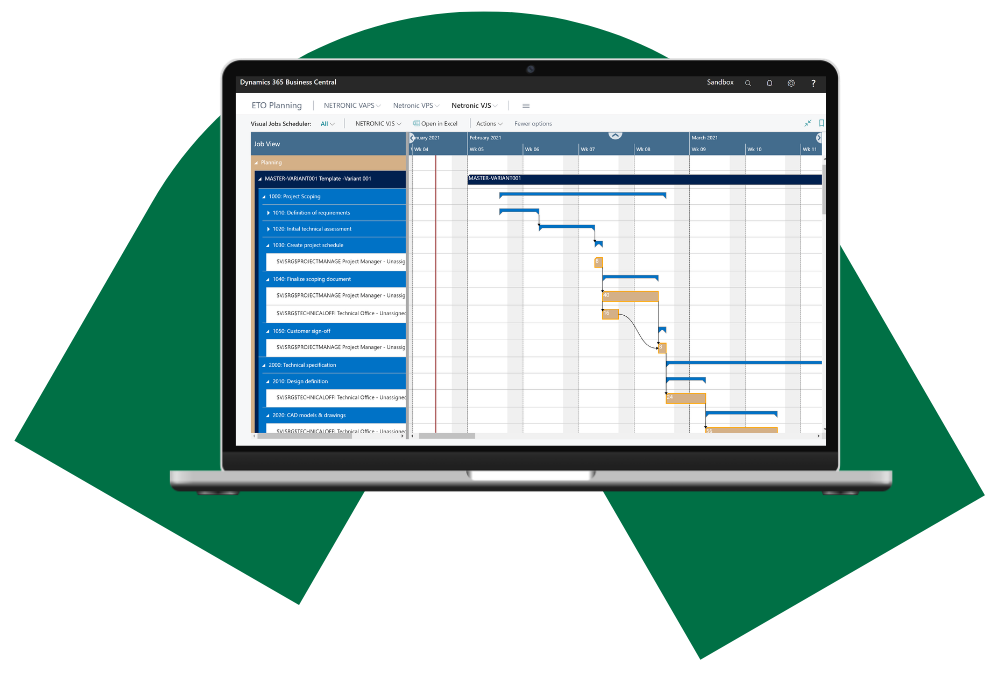
Inarca SpA has been using Microsoft Dynamics NAV for several years. They need to manage plenty of resources and hundreds of projects at any given time using the standard Dynamics NAV jobs and resource planning modules. NAV’s typical way of handling and presenting data mainly in tables and dialogs made scheduling a big challenge for the company. In 2020 they decided to start using the Visual Jobs Scheduler to help solve their scheduling challenges. This turned out to be a game changer.
After a thorough review, the choice fell on NETRONIC's Visual Jobs Scheduler (VJS).
Product: VPS
Before using Microsoft Dynamics 365 Business Central together with the Visual Production Scheduler (VPS), the company planned their production using Excel spreadsheets and a weekly meeting at the management level lasting around three hours. The implementation of the production scheduling software led to significant improvements at Stummer after just a short time: Complete omission of the weekly planning meeting, freeing up around 80 management hours per month for more productive activities, reliable delivery date forecasts, overview for production employees of their current and future orders.
VAPS helps manufacturers create achievable production schedules directly within Microsoft Dynamics 365 Business Central. By combining finite capacity scheduling, material availability and visual drag-and-drop planning, VAPS enables production teams to optimize resources, identify bottlenecks, and respond quickly to changing demand.
Designed specifically for small and mid-sized manufacturers, VAPS extends Business Central with advanced production scheduling capabilities while remaining fully integrated with your ERP data and processes.

Here, you'll learn how production scheduling helps you and your customers to get more out of Microsoft Dynamics 365 Business Central. Whether you're looking to improve your OTD, better manage production orders that are reserved for concrete sales orders, or increase efficiency, we've got you covered. All videos are hands-on and provide concrete "how-to" guidance.
Learn more about Business Central manufacturing and our products from our production scheduling authors.
We know that finding the right scheduling software is sometimes hard. We also know that sometimes it is hard for clients to figure out which of our scheduling software products is best for them.
If you are unsure how to proceed, or if you would like to learn a bit more about our offerings, book a 15-minute explorative session with us.
We will keep this meeting to 15 minutes. We will do no demo, and we will not pitch software. In essence, we will ask a bunch of questions to understand your scheduling challenge.
Based on this, we either honestly tell you that our products are not a good fit for you. Or - we jointly come to the conclusion that we might be an option for you. In that case, we use these 15 minutes to agree upon the next steps.